8. Views — analysis tabs
Overview of views
Views are accessible via the tabs above the central analysis panel. Each view offers a different angle on the data. The active view is highlighted in purple.
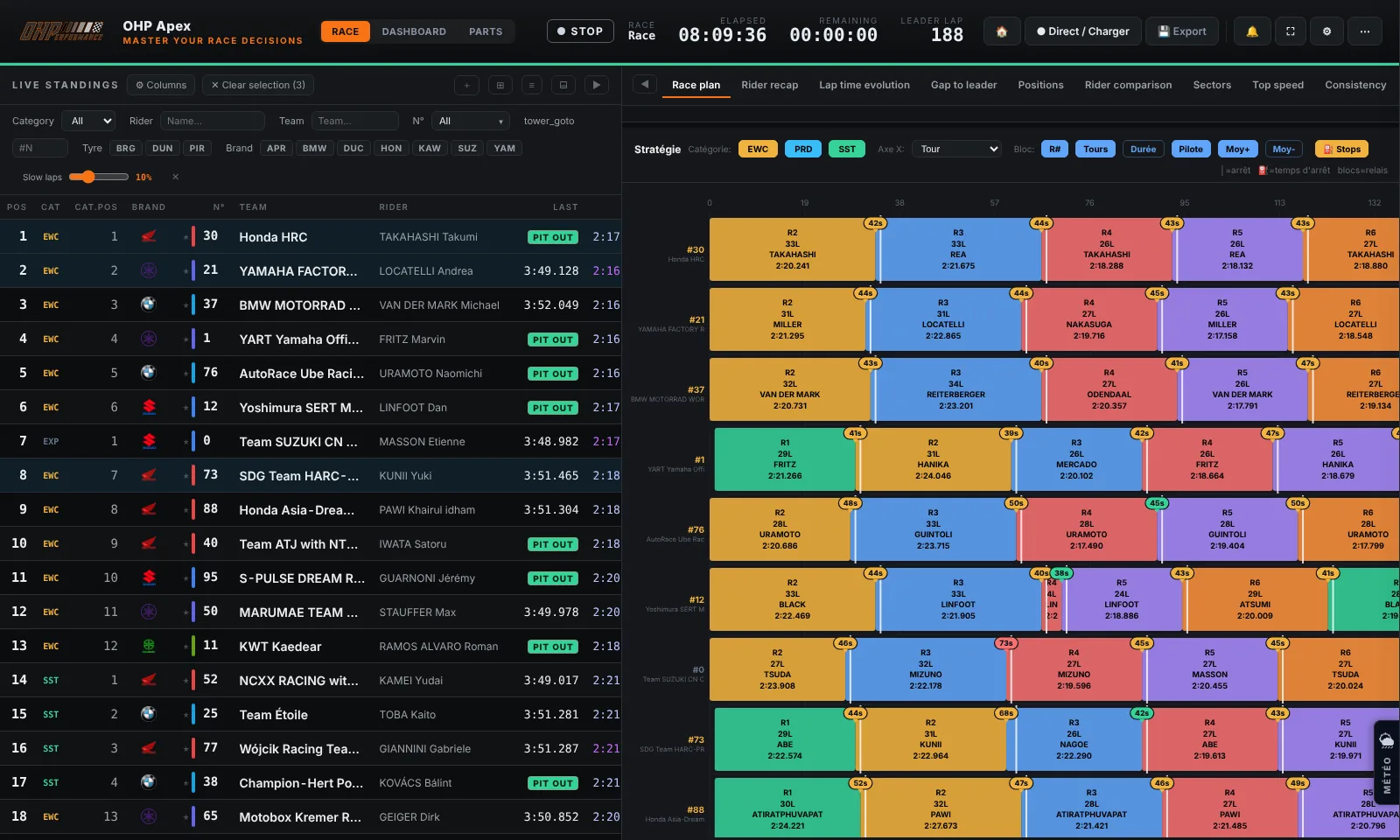
Detail of each view
| View | Content | Typical use |
|---|---|---|
| Laps main | Lap-by-lap list with times, sectors, rider and standings at each passage | Analyse a rider's consistency, spot performance drops |
| Sectors | Best times by sector (S1, S2, S3), comparison with the field best | Identify where the bike loses time on the circuit |
| Strategy | Summary table of stints: duration, lap count, average, rider | Plan upcoming pit stops, compare stint lengths |
| Pace | Average pace chart over several rolling laps | Detect tyre degradation, evaluate pace at end of stint |
| Riders | Statistics by rider (best lap, average, σ, lap count) | Compare the performances of riders on the same team |
| Warmup | First laps after a pit stop (warm-up laps) | Analyse how quickly the bike comes up to temperature |
| Pit | Detail of each pit stop: official timing duration (API stand-time totals) when available, otherwise estimated; long repairs included | Evaluate pit stop efficiency and duration |
| Comparison | Overlaid curves of several selected bikes | Directly compare your bike with competitors |
| Fuel consumption | Theoretical consumption per stint (tank ÷ laps), correlated per rider, with shortened stints excluded; average consumption per bike and laps possible per tank | Anticipate the fuel pit window, compare competitors' range |
| Rider times | Seat time per rider (share bars, %, consecutive stints, ON TRACK rider with continuous riding time — pit stops excluded) + per-stint averages table per rider (average, σ, laps) | Balance rider fatigue over 8/24 h, prepare the next rider change |
| Archives | Archived races (compact summary per bike and rider, races_archive.json file): "Archive current race", 2-race comparison (shared teams: position, best, median with delta, stops, laps), export/import |
Compare performance year over year at the same circuit |
Standard deviation (σ)
The σ (sigma) column indicates a rider's consistency. The lower σ is, the more consistent the rider is in their lap times.
| σ value | Interpretation | Badge |
|---|---|---|
| σ < 1.0s | Very consistent rider — controlled pace | Excellent |
| 1.0 ≤ σ < 2.0s | Consistent rider — some variations | Good |
| σ ≥ 2.0s | Inconsistent rider — significant variations | Variable |
Tip
Example: A rider with σ = 0.8s always stays within the same time window, which is excellent in endurance. A rider at σ = 3.0s alternates between good and bad laps.
The median complements σ: it is the "middle" lap time of the current stint — half the laps are faster, half are slower. Unlike the average, it is not skewed by an isolated slow lap (traffic, yellow flag). It is shown in the Median column of the standings and in the Consistency σ tab, now presented as a table combining average, median and standard deviation σ, groupable by rider, by stint or by team (the Group by dropdown). Comparing median and filtered average reveals the profile of a stint: median < average = a few slow laps hurt the average; median ≈ average = consistent stint.