2. Configure the API key (live data)
What is the API key for?
The API key is your identifier to access the EWC championship's real-time data feed. It is different from the licence key: the licence unlocks the application, the API key connects the application to live race data.
🔑 Licence — Unlocks access to the OHP Apex application. Format: OHAPEX-XXXX-XXXX-XXXX-XXXX. Provided by OH Performance.
🌐 API Key — Gives access to live race data (standings, lap times, positions). Provided by the organiser or OH Performance.
Where to enter the API key?
- Open Settings by clicking the ⚙️ icon at the top right of the dashboard.
- Locate the "EWC API KEY" section.
- Enter the API key provided by One-Timing.
- Click "Save". The settings are stored for future sessions.
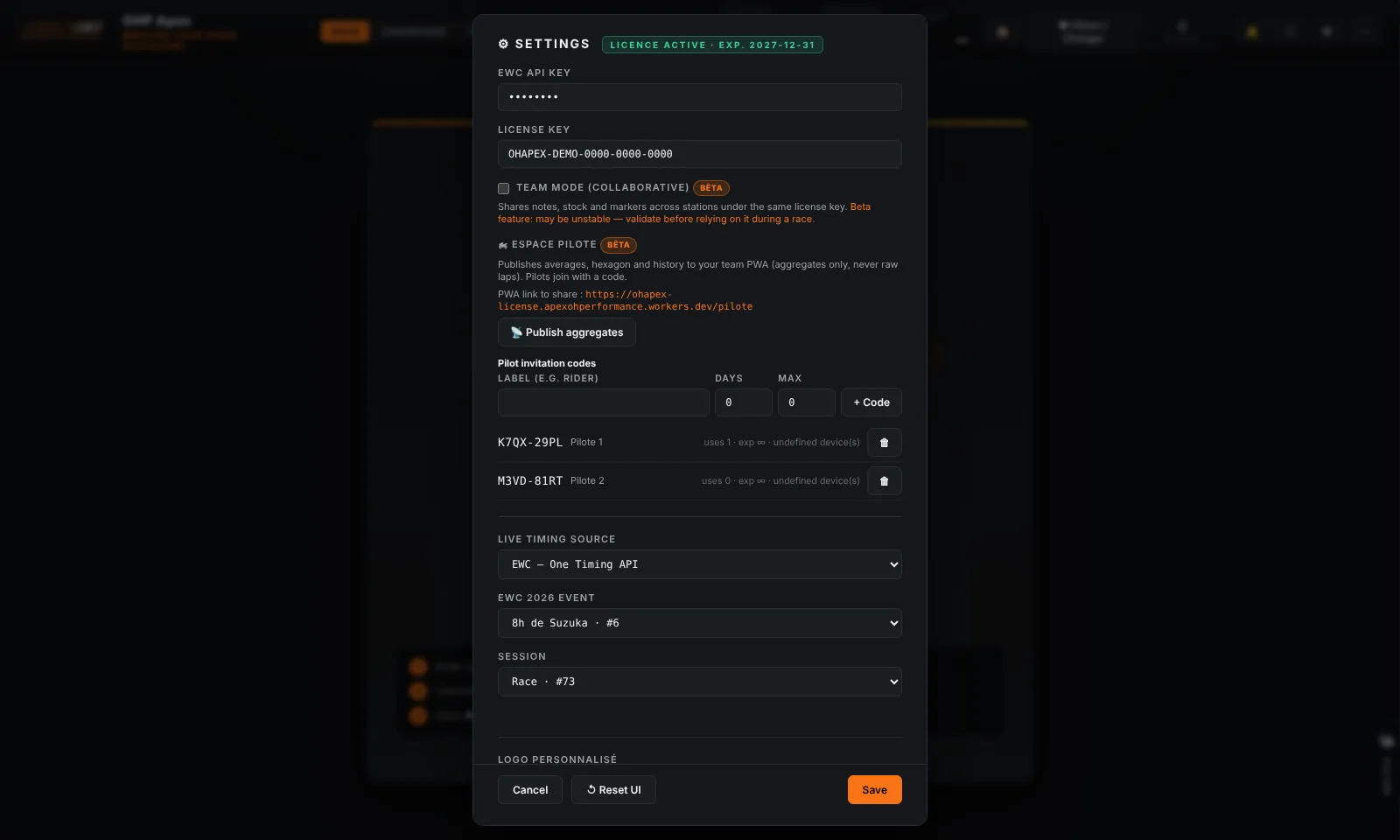
Verify that the connection works
- Close the Settings panel.
- Click the "● Live" button in the top bar.
- If the connection is established, the button turns green and the standings fill within a few seconds.
- In case of error, a message is displayed in red below the status bar. Check your settings and network connection.

Warning
Important: The API key is specific to each event or season. This depends on the One-Timing provider. You may need to update it before each championship round or season.